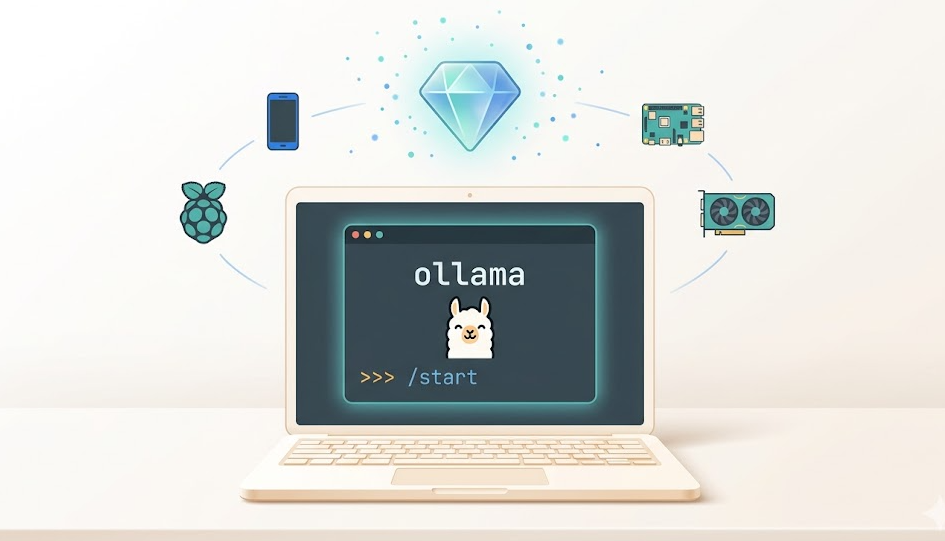
Want to use AI without sending your data to the cloud? Local AI tools for privacy are becoming essential for anyone who values data security. Furthermore, running AI locally gives you complete control over your information while still enjoying powerful artificial intelligence capabilities.
In this comprehensive guide, we explore the best local AI tools for privacy available in 2025. Whether you are a beginner or tech-savvy user, you will find options that match your needs and technical comfort level.
Why Local AI Tools for Privacy Matter
Data privacy concerns are growing rapidly. Moreover, many users worry about sensitive information being stored on remote servers. However, local AI tools for privacy solve this problem completely.
Key benefits include:
- Complete data control, because your information never leaves your device
- No internet required, so you can work offline without connectivity issues
- Faster responses with no network latency slowing you down
- Lower costs since there are no subscription fees for API calls
- Customizable models that let you fine-tune AI for your specific needs
Additionally, businesses handling sensitive customer data find local AI tools for privacy indispensable. For example, healthcare providers, legal firms, and financial institutions increasingly prefer offline AI solutions.
Top Local AI Tools for Privacy in 2026
Ollama: The Easiest Way to Run AI Locally
Ollama stands out as the most user-friendly option among local AI tools for privacy. First, installation takes just minutes on Mac, Windows, or Linux. Next, you can download popular models like Llama, Mistral, and Gemma with simple commands.
Getting started is straightforward:
- Download Ollama from the official website
- Install the application on your computer
- Run
ollama pullgemma4:e4b to get your first model - Start chatting with
ollama run gemma4:e4b
Most importantly, Ollama handles all technical complexity behind the scenes. Therefore, even beginners can run sophisticated AI models without configuration headaches. The tool also supports custom models and fine-tuning for advanced users.
LM Studio: The Visual Powerhouse
LM Studio offers a beautiful graphical interface for managing local AI tools for privacy. Meanwhile, its model browser lets you discover and download models from Hugging Face directly within the app.
Key features include:
- Intuitive chat interface
- Built-in model search and download
- GPU acceleration support
- Conversation history management
- Cross-platform compatibility
Furthermore, LM Studio automatically detects your hardware capabilities. Consequently, it recommends optimal settings for your specific setup. This feature makes it perfect for users who want powerful local AI without technical troubleshooting.
GPT4All: Privacy-First Design
GPT4All focuses specifically on local AI tools for privacy from the ground up. The application runs entirely offline and includes several pre-configured models optimized for consumer hardware.
What makes GPT4All special:
- No cloud dependencies whatsoever
- Optimized models for CPU-only systems
- Local document collection building
- Privacy-preserving training options
- Active open-source community
Additionally, GPT4All includes a desktop application and Python bindings for developers. Therefore, you can integrate local AI into your own applications easily.
How to Choose the Right Local AI Tool for Privacy
Selecting the best local AI tools for privacy depends on your specific situation. Consider these factors before making your choice.
Hardware Requirements
Different tools have varying hardware needs. For instance, Ollama runs well on most modern computers. However, running larger models requires more RAM and ideally a dedicated GPU.
Minimum recommendations:
- 8GB RAM for smaller models (7B parameters)
- 16GB RAM for medium models (13B parameters)
- 32GB+ RAM for large models (70B parameters)
- GPU optional but recommended for speed
Technical Comfort Level
Your technical expertise should guide your choice. LM Studio suits beginners best because of its visual interface. Conversely, Ollama appeals to command-line enthusiasts who prefer terminal-based workflows.
Use Case Specificity
Consider what you will actually use local AI tools for privacy to accomplish. Content creators might prioritize writing assistance features. Meanwhile, developers may need API access and integration capabilities.
Setting Up Your First Local AI Tool for Privacy
Let us walk through a complete Ollama installation as an example. This process demonstrates how simple getting started with local AI tools for privacy can be.
Step 1: Download and Install
Visit ollama.com and download the installer for your operating system. The installation wizard guides you through setup automatically. Therefore, you will be ready to run models within minutes.
Step 2: Pull Your First Model
Open your terminal or command prompt. Then type:
ollama pull gemma4:e4b
This command downloads Meta’s Llama 3.2 model, a capable general-purpose AI. The download size is roughly 4GB, so ensure you have sufficient storage space.
Step 3: Start Using Local AI
Launch the model with:
ollama run gemma4:e4b
Now you can chat with AI completely privately. Your conversations stay on your computer exclusively. No data travels to external servers whatsoever.
Maximizing Privacy with Local AI Tools
Getting local AI tools for privacy running is just the beginning. Additionally, you should follow these best practices for maximum security.
Keep Software Updated
Regular updates patch security vulnerabilities. Therefore, check for Ollama, LM Studio, or GPT4All updates monthly. Most applications notify you automatically when new versions become available.
Secure Your Device
Local AI is only as private as your computer. Consequently, use strong passwords, encryption, and physical security measures. Remember that anyone with access to your device can potentially access your AI conversations.
Review Model Sources
Only download models from trusted sources. Ollama’s official library and Hugging Face are generally safe. However, avoid random model files from unverified websites.
Common Challenges and Solutions
Even the best local AI tools for privacy present occasional difficulties. Here are solutions to frequent problems.
Slow Response Times
Large models require significant computing power. If responses feel sluggish, try these fixes:
- Use a smaller model (7B instead of 70B parameters)
- Enable GPU acceleration if available
- Close other applications to free RAM
- Consider upgrading your hardware
Model Download Failures
Network interruptions can corrupt downloads. Therefore, use a stable internet connection when pulling models initially. After download completes, you can use models completely offline.
Compatibility Issues
Some models work better with specific tools. If one model performs poorly, try alternatives. The local AI community actively shares compatibility information online.
The Future of Local AI Tools for Privacy
The landscape of local AI tools for privacy evolves rapidly. Moreover, several exciting developments are emerging in 2025.
Expected improvements include:
- Smaller, more efficient models
- Better mobile device support
- Enhanced multimodal capabilities
- Improved fine-tuning tools
- Stronger enterprise features
Furthermore, major tech companies increasingly recognize privacy demands. Therefore, we anticipate more official support for local AI deployment from established players.
Frequently Asked Questions
Local AI tools for privacy are artificial intelligence applications that run directly on your computer rather than cloud servers. Consequently, your data never leaves your device, ensuring complete privacy and control.
Yes, local AI tools for privacy function entirely offline once you download the models. However, you need internet access initially to download models and updates. After that, everything works without connectivity.
Local AI can be slower depending on your hardware. However, modern optimizations and smaller specialized models often deliver acceptable performance. Additionally, you avoid network latency, which sometimes makes local AI feel faster.
LM Studio offers the most beginner-friendly experience among local AI tools for privacy. Its visual interface eliminates command-line complexity. Meanwhile, Ollama provides the simplest installation process for those comfortable with basic terminal commands.
Absolutely. Many businesses choose local AI tools for privacy to comply with data protection regulations. Healthcare, legal, and financial sectors particularly benefit from keeping sensitive information on-premises.
Conclusion
Local AI tools for privacy represent the future of responsible artificial intelligence usage. Furthermore, they combine powerful capabilities with complete data control. Whether you choose Ollama for simplicity, LM Studio for visual appeal, or GPT4All for privacy-first design, you will gain valuable AI assistance without compromising your information.
Ready to get started? Download Ollama today and experience the freedom of private, local artificial intelligence. Your data stays yours while you enjoy cutting-edge AI capabilities.
Did you find this guide helpful? Share your experience with local AI tools for privacy in the comments below. Additionally, subscribe to our newsletter for more tech privacy tips and tutorials.